The Xero Rolling Forecast Problem: Why a Static Budget Isn't a Forecast
A budget set in January, quietly wrong by March, still on the wall in July.
Updated
You set the budget in January. By March, two of the assumptions behind it are already wrong — a client churned, a hire slipped a quarter, prices moved. Everyone knows the budget is stale. And yet it's still the only forward-looking number in the business, because the thing that would replace it — a forecast that updates as reality lands — is the one report Xero doesn't produce.
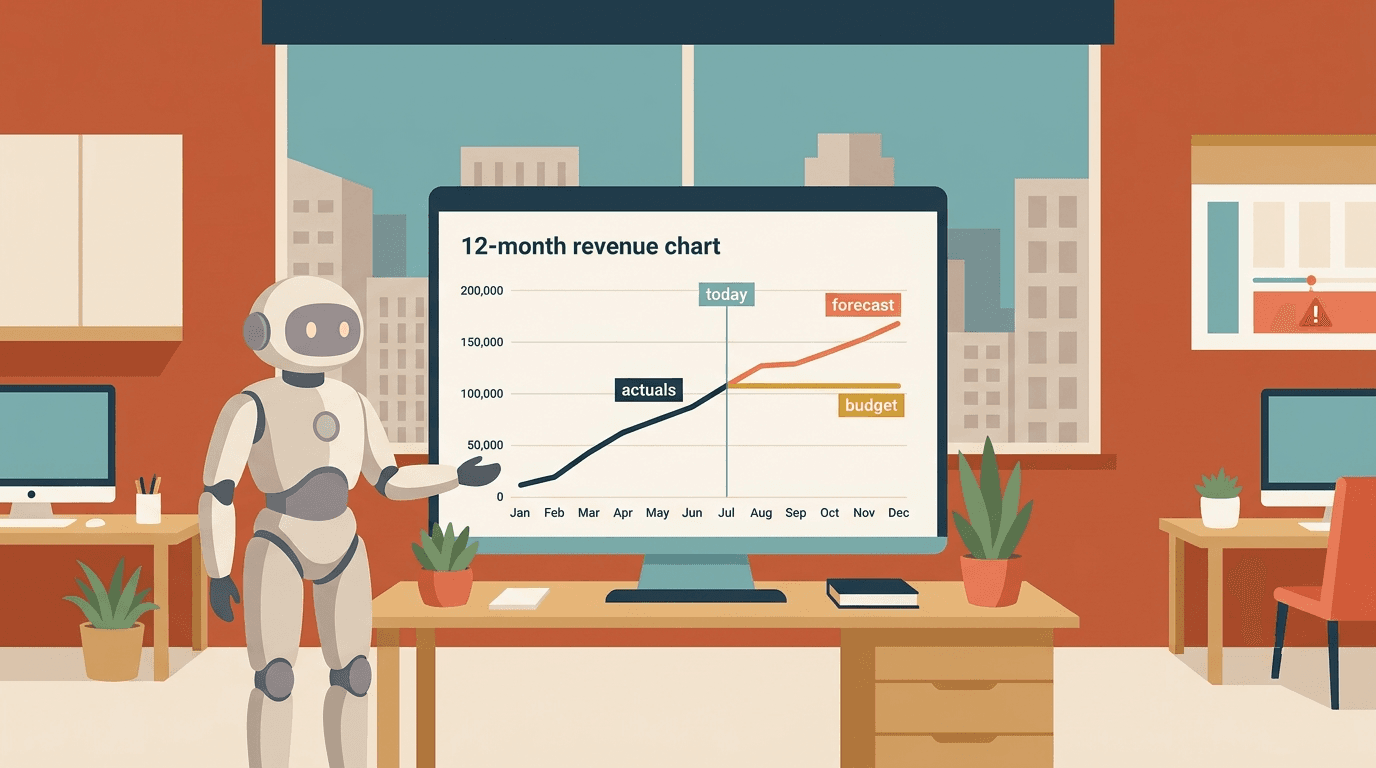
That's the Xero rolling forecast problem. Xero can hold a budget and show you budget-versus-actual. What it can't do is reforecast: take the actuals you've booked so far this year, refresh the assumptions for the months ahead, and roll the whole thing forward so you're always looking twelve months out from wherever "now" is. The budget tells you what you thought in January. A rolling forecast tells you what you think today. Those are different jobs, and Xero only does the first one.
Budget, forecast, reforecast — they're not the same thing
It's worth being precise, because Xero blurs these together and the blur is where the trouble starts.
A budget is a fixed plan for the year, set once, held constant so you can measure against it. That's a feature, not a bug — you want the budget to stay still, otherwise you can't tell whether you beat it.
A forecast is your best current estimate of how the year actually lands. It's allowed to move.
A rolling forecast is a forecast that never stops. Each month you drop in the actuals that just closed, re-estimate the remaining months, and extend the horizon by one so you're perpetually looking, say, twelve or eighteen months ahead — not marching toward a fixed year-end and then falling off a cliff.
Xero is built entirely around the first one. You can load a budget, you can do budget-versus-actual reporting, and for a lot of businesses that's a genuinely useful discipline. But the moment you want the second and third — a living estimate that reforecasts monthly — you've walked past the edge of what the native tooling does.
What Xero actually gives you
To be fair, Xero isn't empty here.
You can create budgets in Xero (including the overall budget and additional budgets for scenarios), enter figures by account and by month, and even apply a simple percentage growth to project a line forward. You can import a budget from a spreadsheet. You can run the Budget Variance report to see actual against budget, month by month, year to date.
For a stable small business, that's a reasonable forward view. Set a sensible budget, watch the variance, act on the big gaps.
The trouble is that everything Xero gives you is static. The budget is a fixed set of numbers you typed in. There's no mechanism that says "now that April has actually closed, re-run the forecast for May through next March using what we just learned." Xero will happily show you that you're £40k behind budget on revenue. It will not tell you what the rest of the year now looks like as a result. That re-estimation — the actual act of forecasting — is left entirely to you and a spreadsheet.
Where the native approach stops
Four walls show up, usually in this order.
There's no reforecast mechanism. This is the core one. Xero holds a budget and holds actuals, but there's no native concept of blending them — actuals for closed months, fresh estimates for open ones — and no way to re-cut those estimates each month. Every "reforecast" is a manual rebuild.
The forecast isn't driver-based. A useful forward view isn't a hundred account lines each nudged up 3%. It's built on drivers: headcount and average salary drive staff cost, customers and ARPU drive revenue, covers and average spend drive F&B sales. Change the driver, and every dependent line moves. Xero budgets are flat numbers in cells — there's no logic underneath them, so there's nothing to flex when an assumption changes. You edit outcomes, not causes.
It's a single view, not scenarios. Real forecasting is conditional: base case, the case where the big deal slips, the case where you make two hires early. Xero lets you save additional budgets, but they're disconnected static copies, not scenarios driven off shared assumptions you can toggle. Keeping three of them consistent by hand is its own monthly chore.
It stops at one entity, and at the P&L. The budget tools run on a single Xero organisation and are fundamentally P&L-shaped. If you run a group on a standard plan, there's no consolidated forecast across orgs — same root cause as why multi-entity consolidation in Xero is a manual job. And if you want the forecast to flow through to cash — which is usually the whole point — you're back to the reason Xero can't tell you next month's cash: the P&L forecast and the cash timing are two different models, and Xero connects neither.
Put together: Xero can store a plan and score you against it. It can't keep a living estimate of where you're heading.
The spreadsheet everyone ends up maintaining
So the forecast moves to Excel, and the ritual sets in. Export the actuals for the months that have closed. Paste them over the forecast columns. Re-key the assumptions for the months ahead — sometimes remembering to update the drivers, sometimes just eyeballing it. Extend the model by a month. Re-link the cash flow. Reconcile it back to Xero. Send.
It works, right up until it doesn't. The links break when someone inserts a row. The actuals and the forecast drift out of sync because the account mapping changed in Xero but not in the sheet. The person who built the driver logic leaves, and the model becomes a black box nobody dares touch — so the reforecast quietly stops happening, and you're back to managing off a January budget in September.
The tell is the same one as always: if your "rolling forecast" is a monthly rebuild in a spreadsheet, you don't have a rolling forecast. You have a recurring FP&A job wearing a forecast's clothes.
What a real rolling forecast needs underneath
The forward numbers on top are the easy part. What makes a rolling forecast trustworthy is the plumbing:
- An actuals feed that's automatic. Closed months should pull straight from Xero — on the same account mapping your reporting already uses — so "updating the forecast with actuals" isn't a copy-paste job.
- A driver layer. Forward months built from assumptions — headcount, price, volume, churn, ramp — so changing one input flexes every line that depends on it, instead of you editing dozens of cells.
- A roll that happens on its own. Each period, actuals replace estimates, the horizon extends by one, and the model re-cuts — without someone rebuilding the file.
- Variance to budget and to prior forecast. Not just actual-vs-budget, but this forecast against last month's forecast, so you can see your own estimate moving and understand why.
- A path to cash and across entities. The P&L forecast should feed a cash view and, if you run a group, consolidate across orgs on a common chart of accounts.
None of that is exotic. It's just the difference between a plan you set once and a forward view you'd actually steer the business with — the same forward view your KPI dashboard and your management pack are quietly crying out for.
Where this leaves you
If a fixed annual budget and a monthly variance check are enough to run your business, use Xero's budget tools and don't overthink it — they do that job and cost you nothing. But if you need a living estimate — actuals to date, driver-based months ahead, rolling forward automatically, with scenarios and a line to cash — the native tooling will get you a tidy budget and leave the forecasting on your desk.
That forecasting — bespoke driver logic, fed by Xero actuals, reforecast every month without a human rebuilding a spreadsheet — is exactly the kind of work Cheetah exists to take off your plate. If your rolling forecast is really a spreadsheet you reconcile from scratch each month, it's worth a look.
Either way, the honest first step is naming what you've got: Xero gives you a budget. A budget isn't a forecast, and a forecast you rebuild by hand isn't rolling.
Updated 20 September 2026: clarified that the missing group forecast applies to Xero's standard plans.

A finance professional turned product builder, Jarvin has built hundreds of reports by hand and knows what financial and operational reporting demands: customisability, auditability, scalability, and security. Having automated that work reliably, he's now helping advisory firms and finance teams do the same.
